
Cute Discord Profile Picture Ideas: Cat, Bunny and Frog
Customize three cute 3D animal PFP ideas for Discord. Choose a cat, bunny or frog, try colors and materials, and check the square PNG and circular crop.
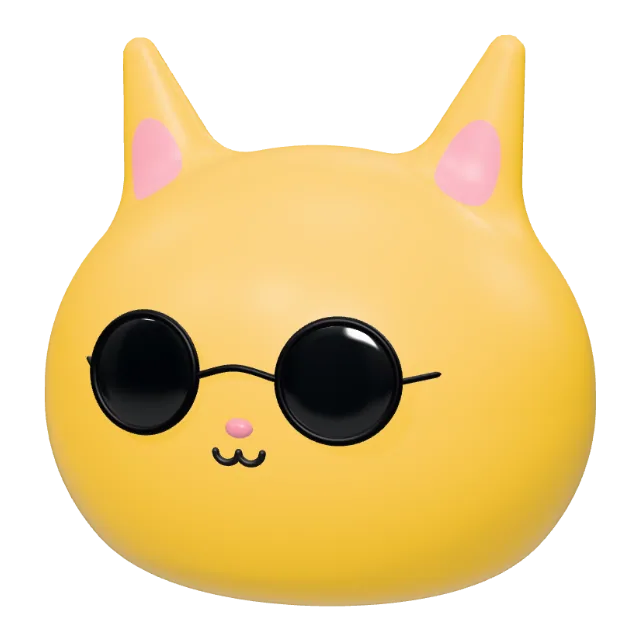
A Discord profile picture needs to look clear in a small chat icon. Cute 3D animal characters give you a recognizable face, a color palette and a few accessories to work with. Start with one of these editable examples, then change it to suit your profile.
Three cute animal PFP ideas you can customize
A cat with sunglasses or headphones
A cat’s pointed ears make its outline easy to recognize. The golden vinyl example has dark sunglasses and a shiny finish. Keep that combination for a playful look, or try clay, another body color and an open-eye expression. For a music theme, replace the glasses with headphones and check that the face stays visible.
Open the cat avatar maker to compare the golden cat and mint headphone cat. Use the same palette across your cat PFP and banner if you want a coordinated profile.
A plush bunny with a bow
The lavender bunny starts with a plush material and a pink bow. Try a different body color or a smaller accessory to change its mood. Long ears take up more room than the face, so leave space above the head and check the profile crop before saving.
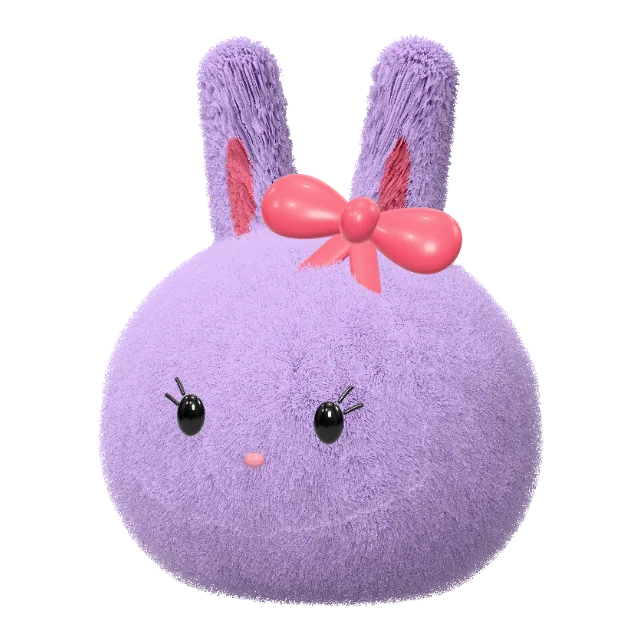
A clay frog with a simple silhouette
The frog has a broad, rounded face and a matte clay finish. Its compact shape is a useful starting point when you want fewer details in a small icon. Try a brighter or softer green, keep the eyes distinct from the body, and compare a front view with a slight turn.
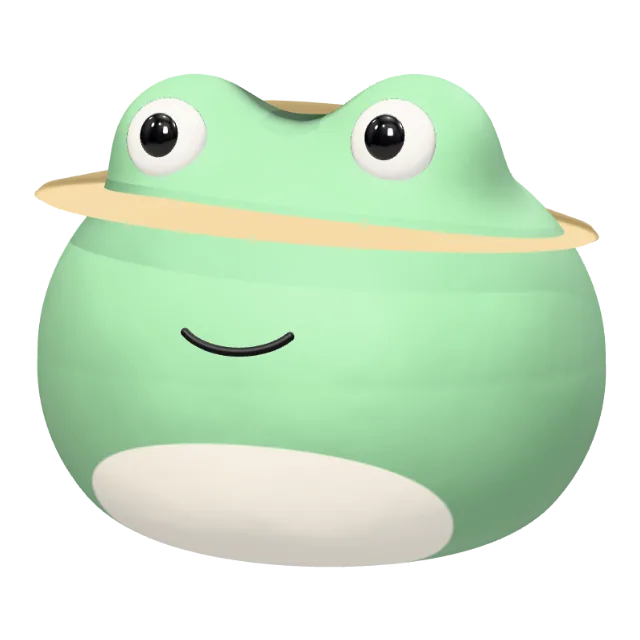
Choose a view that works in a small profile circle
Rotate the live 3D preview to find a front or three-quarter view. Keep the eyes and mouth visible, and give hats, ears and headphones some breathing room. A small preview is more useful than checking only the full-size image: details that look good at 1024 pixels can disappear in a chat icon.
For a background, export the transparent character and place it on a square canvas in your design tool. Choose a color that separates the face from the background. The studio’s avatar asset packs also offer themed profile images with backgrounds; preview the pack before choosing a download.
Export a square PNG and upload it to Discord
Editing and previews are free. Sign in when you want to download. Each single PNG export uses 2 credits and produces a 1024 × 1024 static image with a transparent background. See current plans and export credits before downloading.
In Discord, open your profile settings and upload the PNG as your avatar. Adjust the crop and check the preview before saving. Discord’s official profile guide explains how to change your avatar.
The rotatable HTML export is a separate browser page. Use the PNG for your Discord profile picture. The editor exports static images and interactive HTML, and does not provide animated GIF exports.
Make matching animal avatars for friends
Use a shared palette or material for two characters. For example, make a cat and bunny in similar pastel colors, or give both characters the same style of glasses. Customize and export each separately; there is no automatic pair generator.
Follow the matching animal PFP guide, or make a coordinated set with the avatar and banner workflow. For more starting characters and upload tips, visit the Discord profile picture maker.